
Landing at Miami International Airport and stepping into sunlight with the freedom of your own set of wheels is one of travel’s little victories. But the convenience of grabbing a rental at MIA comes with choices — where to pick up the car, what to pack in your wallet, how to avoid surprise fees, and which vehicle actually suits Miami’s streets and weather. Read on for a clear, friendly walkthrough that strips away the confusion and helps you get moving without drama.
Why Rent at Miami International Airport?
Renting at the airport saves time. You skip the ride-share wait, avoid transfer costs, and start your trip the moment you step into Miami’s heat. The car rental miami airport consolidates most major brands in one place, linked to the terminals by the MIA Mover people-mover. That centralization means fewer shuttles, easier comparisons on arrival, and straightforward returns — all valuable when you’re on a schedule.
On the flip side, airport rentals sometimes carry extra fees and surcharges that off-airport locations avoid. If price is your main concern and you have the time, checking nearby lots can pay off. If convenience and speed matter more, the Rental Car Center is designed for travelers who want to be underway quickly.
Where to Find Rental Companies at MIA
MIA’s Rental Car Center hosts most of the familiar names: Avis, Budget, Enterprise, Hertz, National, Alamo, Dollar, Thrifty, and Sixt among them. There are also local and specialty firms that might offer lower rates or unique vehicles. If you have a loyalty program or prefer a particular fleet, booking ahead guarantees availability and a smoother pickup.
| Company | Strengths | Typical Traveler |
|---|---|---|
| Alamo | Leisure-friendly policies, solid selection | Families, vacationers |
| Enterprise | Customer service, neighborhood presence off-airport | Longer rentals, local drop-offs |
| Hertz | Large network, business-focused services | Business travelers, frequent renters |
| Sixt | Upscale, European models, convertibles | Style-conscious renters |
| Avis/Budget | Business-friendly (Avis), value options (Budget) | Cost-conscious and corporate travelers |
| National | Fast service for loyalty members | Frequent flyers |
Choosing the Right Car for Miami
Miami calls for practical thinking mixed with local flavor. If you’ll stick to beach areas and neighborhoods, a compact or midsize car saves on parking and fuel. If you plan to head out to the Everglades, bring surfboards, or travel with a family, choose an SUV or minivan for space and comfort. And yes, convertibles are a classic Miami choice — but remember sun protection and trunk space limits.
Vehicle Considerations
- Parking: compact cars take less space and are easier to park in busy neighborhoods like Brickell or South Beach.
- Weather: sudden rainstorms are common; ensure tires and wipers are in good condition and consider AWD if you’re uneasy driving in heavy rain.
- Luggage and passengers: always check trunk volume if you have more than two suitcases or bulky sports gear.
What You Need to Rent — Documents and Requirements
The basic essentials are a valid driver’s license and a major credit card. If your license is not in English, many companies ask for an International Driving Permit (IDP) in addition to your home license. Age restrictions apply: drivers under 25 often face a young-driver surcharge. Some renters prefer using a debit card; policies vary and may require additional ID or proof of return travel.
Insurance and Protection Options
Rental companies will offer collision damage waivers (CDW), liability supplements, and supplemental protections for roadside assistance or glass and tire damage. Check your personal car insurance policy and major credit card benefits — many provide coverage that overlaps with the rental’s CDW, which can save money. But if you’re unsure, accept the rental coverage to avoid exposure to high repair bills.
Documents Checklist
- Valid driver’s license (bring both if you have a temporary or state license)
- Passport or government ID (recommended for international travelers)
- Major credit card in the primary driver’s name
- International Driving Permit (if your license is not in English)
- Proof of insurance if you decline rental insurance
Price Expectations and How Rates Work
Rates fluctuate with season, demand, and how soon you book. Miami’s high season (winter and holidays) generally pushes rates upward. Rentals also include taxes, airport concession fees, and optional extras (GPS, car seats, toll packages). The most common extras: additional driver fees, young-driver fees, and prepaid fuel or refueling charges if you decide not to refill before return.
| Car Class | Relative Cost | Typical Use |
|---|---|---|
| Economy / Compact | Low | City driving, solo travelers |
| Midsize / Fullsize | Medium | Comfort and longer trips |
| SUV / Minivan | Medium–High | Families, beach gear, longer drives |
| Convertible / Luxury | High | Style, special occasions |
Saving Money: Smart Booking and On-the-Ground Hacks
You don’t need to accept the sticker shock. Book early, compare aggregator sites, and watch for refundable or free-cancellation rates. Loyalty programs often waive certain fees or provide upgrades. Consider picking up off-airport if the savings offset the shuttle time. Also, decline extras you don’t need — a phone’s GPS app works instead of a built-in unit, and a light refueling plan usually costs less than the rental company’s prepay fee.
- Book at least a few weeks in advance for the best selection and rates.
- Compare the total cost after taxes and fees, not just the headline rate.
- Check your credit card benefits for collision coverage before buying CDW.
- Bring your own child seat or request one only if necessary; rental child seats can be costly.
- Refuel before return to avoid high refueling charges.
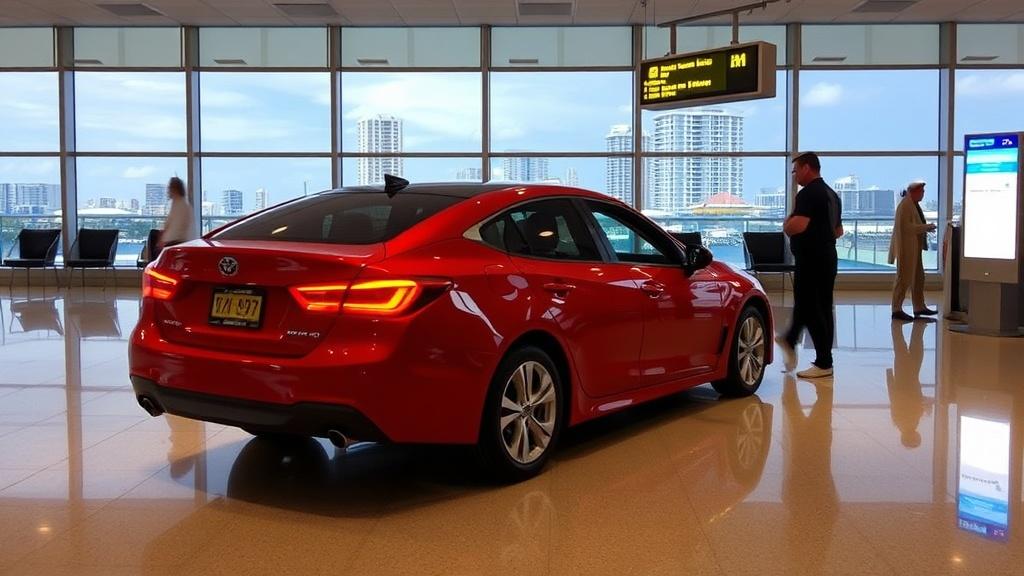
Picking Up and Returning Your Car: Step-by-Step
Pickup at MIA is generally straightforward: follow signs to the Rental Car Center, use the MIA Mover from the terminals, line up at your company’s counter, present documents, and inspect the car. Walk the vehicle with a staff member if possible and photograph any existing damage. Confirm fuel level and that the car has the items you requested (GPS, child seat).
Return Tips
Return during daylight if you can; it’s easier to resolve disputes and complete the inspection. Fill the tank unless you prepaid fuel. Keep copies of the final contract and the receipt showing fuel level and charges. If you’re dropping off out-of-hours, make sure to follow the carrier’s after-hours instructions and get confirmation that the vehicle was received.
Tolls, Parking, and Local Driving Realities
Florida uses cashless tolling in many areas. Rental companies often offer a toll-payment option or bill you through a license-plate system, typically with administrative fees. If you plan to use toll roads frequently, ask about a daily or weekly toll package. For parking, South Beach and downtown Miami can be costly and enforced aggressively — read signs and pay meter fees promptly to avoid fines.
- Expect sun and glare; polarized sunglasses help.
- Watch for aggressive driving downtown; leave extra time.
- Mind bike lanes and pedestrian-heavy neighborhoods like Wynwood.
- Hurricane season runs June–November — keep weather updates handy if you travel then.
Common Pitfalls and How to Avoid Them
Surprise charges come from minor missteps: returning the car with less fuel, ignoring pre-existing dings, or failing to read the fine print on toll handling. To avoid disputes, photograph the car at pickup and drop-off, retain receipts, and keep an eye on your card statements for unexpected charges. If damage occurs, notify the rental company immediately and document everything in writing.
Checklist Before You Drive Away
- Photograph all sides of the car and the odometer.
- Confirm fuel level and whether you pre-paid fuel.
- Check for visible damage and make sure it’s recorded on the contract.
- Ask about toll packages and how they’ll be billed.
- Confirm return location and after-hours procedures.
Special Situations: One-Way Rentals, International Visitors, and Long-Term Needs
One-way rentals (returning the car to a different city) are possible but can carry heavy drop fees. If you plan to drive from Miami to the Keys, the Everglades, or across state lines, confirm any geographic restrictions. International visitors should bring a passport, an IDP if needed, and proof of onward travel — policies vary. For long-term rentals, negotiate rates and check for maintenance clauses or mileage limits.
Final Practical Tips
Always read the rental agreement carefully. If a rate or fee seems unclear, ask for it in writing. Use reputable companies and confirm the total estimated cost before you sign. Once you’re on the road, keep your phone charged, have a reliable map app, and enjoy the freedom of exploring at your own pace. Miami rewards the curious driver with beaches, neighborhoods, and quick escapes that public transit can’t reach as comfortably.
Conclusion
Renting at Miami International Airport offers speed and convenience, but it pays to be prepared: bring the right documents, choose a vehicle that matches your plans, understand toll and insurance rules, and document the car’s condition at pickup and drop-off. With a little advance planning — and a careful eye for fees — you’ll trade airport hustle for Miami sunshine and a smooth start to your trip.